
Balancing Music and Voice Audio in Filmora (Pro Guide)
You can shoot the most visually stunning video, but if the audio is off, viewers will leave within seconds. One of the most common editing struggles creators face is balancing music and voice audio in Filmora https://filmora.wondershare.com/ especially when background music overpowers dialogue or narration becomes too dry without music support. In tools like Filmora, […]
Read More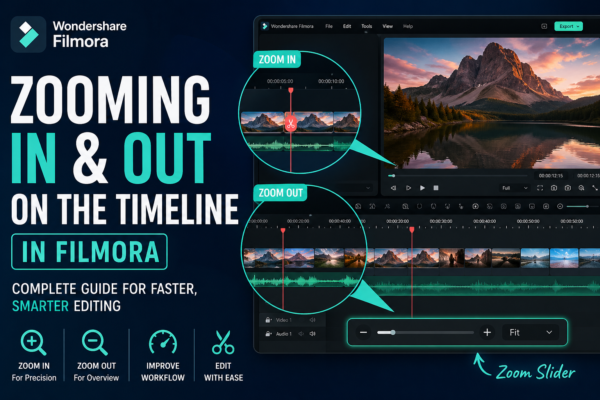
Zooming In and Out on Filmora Timeline: Complete Guide
Zooming In and Out on Filmora Timeline allows video editors to control how closely they view their editing workspace. It helps improve precision when cutting clips, arranging scenes, and adding effects. In Wondershare Filmora, you can zoom using the timeline slider, mouse scroll, or shortcut keys for faster editing efficiency. Why Timeline Zoom Matters in […]
Read More
Adjusting Transition Duration and Style in Filmora
Video editing is not just about cutting clips—it’s about storytelling. One of the most powerful yet underrated tools in editing is transitions. When used correctly in Filmora, transitions can completely transform your video flow, making it more professional, cinematic, and engaging. But here’s the challenge: many beginners either overuse transitions or don’t know how to […]
Read More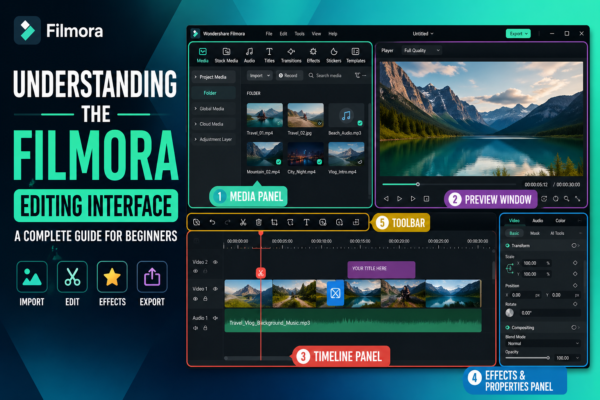
Understanding the Filmora Editing Interface: Complete Beginner Guide
If you’ve ever opened a video editor like Wondershare Filmora https://filmora.wondershare.com/ for the first time, you probably felt a mix of excitement and confusion. Buttons everywhere, timelines, panels, previews—it can look overwhelming. But here’s the truth: once you understand the Filmora editing interface, everything starts to feel intuitive. Editing becomes less about “figuring out the […]
Read More
Exporting Videos in High Quality in Filmora (Step-by-Step Guide)
Creating a great video is only half the job—exporting it correctly is what truly determines how professional it looks. Many beginners spend hours editing in Filmora video editor, only to end up with blurry or compressed results after export. If that sounds familiar, don’t worry—you’re not alone. This guide will show you exactly how to […]
Read More
Best Filmora Export Settings for Instagram & TikTok
Creating videos that look amazing on your laptop is one thing—but making them look perfect on Instagram Reels or TikTok is a completely different game. If you’ve ever exported a video from Filmora https://filmora.wondershare.com/ and thought, “Why does this look blurry on my phone?”, you’re not alone. The truth? Social platforms compress your videos heavily. […]
Read More
Using Split-Screen Effects in Filmora: Complete Guide
Split-screen effects in Filmora allow you to display two or more video clips on the same screen simultaneously. You can use Filmora’s built-in Split Screen templates to compare scenes, show reactions, or create storytelling visuals. Simply drag a template, insert your clips, and adjust positioning for a professional, cinematic result. Why Split-Screen Editing Matters in […]
Read More
Cutting and Trimming Audio in Filmora (Step-by-Step Guide)
Have you ever watched a video where the visuals were great, but the audio felt messy, too long, or poorly timed? That’s exactly where cutting and trimming audio in Filmora becomes a game-changer. Whether you’re editing YouTube videos, reels, podcasts, or tutorials, clean audio is what keeps your audience engaged. Filmora by Wondershare makes this […]
Read More
Creating Smooth Zoom Effects in Filmora (Step-by-Step Guide)
Ever watched a video where the camera slowly zooms in and instantly makes everything feel more cinematic and engaging? That subtle motion isn’t accidental—it’s a carefully crafted zoom effect. If your videos feel flat or static, adding smooth zoom effects can completely transform them. The good news? You don’t need advanced editing skills to do […]
Read More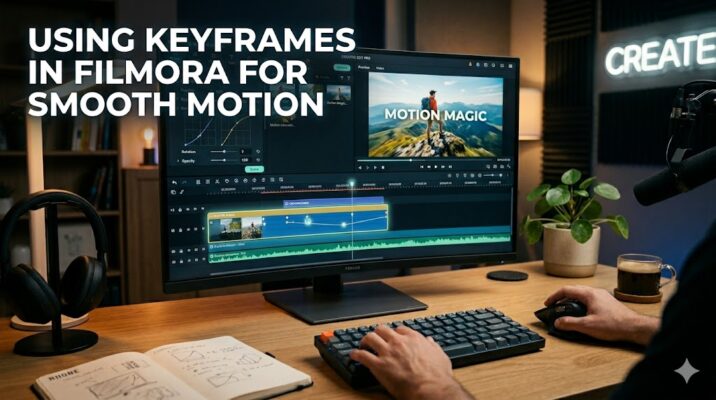
Using Keyframes in Filmora for Smooth Motion
If your videos feel static or “flat,” keyframes are the missing ingredient. They turn simple clips into dynamic, engaging visuals—without needing advanced animation skills. Whether you’re editing YouTube videos, reels, or tutorials, mastering keyframes in Filmora can instantly level up your content. Quick Answer Keyframes in Filmora allow you to create motion by setting specific […]
Read More










