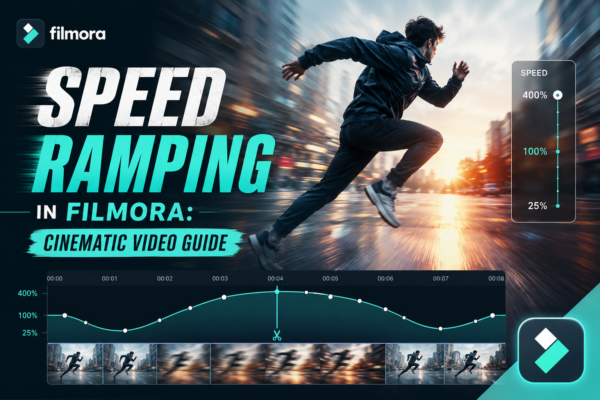
Have you ever watched a cinematic video where the motion suddenly slows down during a dramatic moment, then smoothly speeds up again? That’s not random editing—it’s called speed ramping, and it’s one of the most powerful storytelling techniques in modern video production.
Whether you’re editing travel vlogs, cinematic reels, YouTube shorts, or Instagram content, speed ramping can instantly make your footage feel more professional and emotionally engaging. The good news? You don’t need advanced software like After Effects to do it. With Filmora https://filmora.wondershare.com/you can create smooth cinematic speed transitions in just a few clicks. You can also read our complete guide https://youtubevideoeditingservices.com/what-is-filmora-video-editing-guide/
In this guide, you’ll learn exactly how to use speed ramping in Filmora, when to use it, and how to make your videos look like they were edited by a pro.
Quick Answer: What is Speed Ramping in Filmora?
Speed ramping in Filmora is a video editing technique where you smoothly change playback speed within a single clip—such as shifting from slow motion to fast motion or vice versa. It is used to create cinematic effects, emphasize action, and improve storytelling flow in videos.
What is Speed Ramping in Video Editing?
Speed ramping is a technique where video speed is gradually increased or decreased instead of staying constant.
Simple Definition:
- Slow motion → Normal speed → Fast motion (or reverse)
- Smooth transitions instead of sudden cuts
Why It Matters:
- Adds emotional impact
- Highlights important moments
- Makes videos feel cinematic and dynamic
- Keeps viewers engaged longer
In modern content creation—especially on YouTube Shorts, TikTok, and Instagram Reels—speed ramping is widely used to create “wow” moments.
Why Use Speed Ramping in Filmora?
Using speed ramping in Filmora helps creators achieve professional-level edits without complex tools.
Key Benefits:
- 🎬 Cinematic storytelling
- ⚡ Smooth motion transitions
- 🎯 Focus attention on key moments
- 📱 Perfect for social media content
- 🧠 Easier than advanced editing software
Real Example:
Imagine you’re editing a travel clip:
- Walking through a street (normal speed)
- Camera pans to sunset (slow motion)
- Transition into drone shot (fast motion)
This flow instantly feels more cinematic and emotional.
How to Create Speed Ramping in Filmora (Step-by-Step)
Here’s a practical workflow to create smooth speed ramps using Filmora.
1: Import Your Clip
- Open Filmora
- Drag your video into the timeline
- Select the clip you want to edit
2: Access Speed Controls
- Right-click the clip
- Select Speed and Duration
- Choose Speed Ramping
3: Choose a Preset
Filmora offers built-in speed ramp presets like:
- Montage
- Hero Moment
- Bullet Time
- Flash In/Out
These presets help beginners create cinematic results instantly.
4: Customize Speed Points
You can manually adjust:
- Slow segments
- Fast segments
- Transition curves
This is where real cinematic control happens.
5: Add Audio Sync (Important!)
- Match speed changes with beats in background music
- Use audio keyframes for smoother transitions
6: Preview and Fine-Tune
- Play the timeline
- Adjust speed curves for smoother flow
Pro Tips for Cinematic Speed Ramping
1. Use Emotional Moments
Speed ramping works best when used in:
- Action scenes
- Emotional transitions
- Drone shots
- Reveals (like sunset or skyline)
2. Don’t Overuse It
Too many speed changes can:
- Confuse viewers
- Reduce storytelling clarity
3. Sync with Music Beats
This is a professional editing trick:
- Slow motion on emotional beats
- Fast motion on rhythm drops
4. Combine with Effects
Enhance speed ramping using:
- Motion blur
- Light leaks
- Color grading
- Camera shake (lightly)
Use Cases of Speed Ramping in Filmora
🎥 Travel Videos
Highlight scenic transitions and landscapes
🎮 Gaming Montages
Emphasize kills, highlights, and reactions
🎬 Cinematic Short Films
Create dramatic storytelling sequences
📱 Social Media Reels
Boost engagement and retention
🏋️ Fitness Videos
Show transformation or action progression
Speed Ramping vs Normal Speed Editing
| Feature | Normal Speed Editing | Speed Ramping |
|---|---|---|
| Motion Style | Constant | Dynamic |
| Emotional Impact | Low | High |
| Engagement | Moderate | High |
| Professional Look | Basic | Cinematic |
| Flexibility | Limited | Advanced |
Speed ramping clearly wins when it comes to storytelling impact.
Common Mistakes to Avoid
Even experienced editors make these mistakes:
❌ Abrupt Speed Changes
Always use smooth transitions, not jumps.
❌ Overusing Effects
Less is more in cinematic editing.
❌ Ignoring Audio Sync
Bad audio timing ruins visual flow.
❌ Using Low-Quality Footage
Speed effects work best with high FPS clips (60fps recommended).
Advanced Insight: Why Speed Ramping Works (EEAT Perspective)
From a filmmaking perspective, speed ramping works because it manipulates perceived time and emotional rhythm.
Professional editors use it in:
- Hollywood trailers
- Action sequences
- Music videos
The brain naturally responds to speed changes:
- Slow motion = emotional emphasis
- Fast motion = energy and excitement
This psychological effect is why platforms like YouTube and TikTok heavily favor dynamic edits.
FAQ: Speed Ramping in Filmora
1. What is speed ramping in Filmora used for?
Speed ramping is used to create smooth transitions between slow and fast motion for cinematic storytelling and visual impact.
2. Is speed ramping available in Filmora free version?
Basic speed controls may be available, but advanced speed ramping features are often included in the paid version of Filmora.
3. What FPS is best for speed ramping?
For best results, use footage recorded at 60fps or higher to maintain smooth motion during speed changes.
4. Can beginners use speed ramping in Filmora?
Yes, Filmora is beginner-friendly and offers presets that make speed ramping easy without advanced editing skills.
5. Does speed ramping affect video quality?
If done correctly with high-quality footage, speed ramping does not reduce quality. Poor source footage, however, may look choppy.
Conclusion: Make Your Videos Cinematic with Speed Ramping
Speed ramping is one of the simplest yet most powerful techniques you can use to elevate your video editing skills. With Filmora, you don’t need advanced filmmaking knowledge—just creativity and timing.
Whether you’re creating YouTube content, social media reels, or cinematic storytelling videos, mastering speed ramping will instantly improve your visual quality and audience engagement.
If you’re serious about video editing, start experimenting with speed ramping today—your footage will never look the same again.











