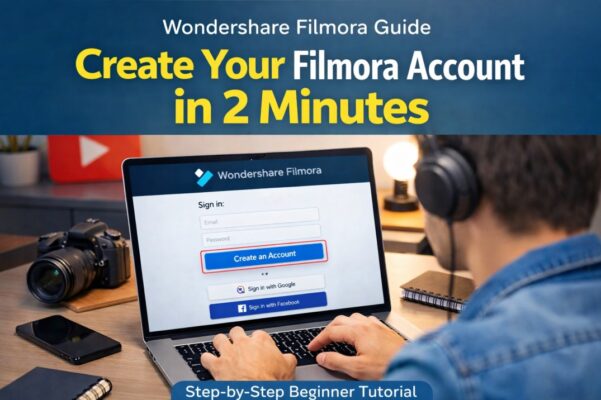
Video editing has become an essential skill for YouTubers, freelancers, marketers, and content creators. Tools like Wondershare Filmora make editing simple while still offering powerful professional features.
If you haven’t installed the software yet, check our complete guide on How to Download and Install Filmora https://youtubevideoeditingservices.com/how-to-install-filmora-windows-mac/to get the program running on your computer in just a few minutes.
However, before you can export videos without restrictions, access cloud assets, or use premium effects, you need to learn How to create Filmora account.
If you’re new to the platform, the process may seem confusing. The good news is that creating a Filmora account takes only a few minutes and gives you access to the entire Wondershare ecosystem.
In this guide, you’ll learn how to create Filmora account step by step, including best practices, common mistakes to avoid, and tips for beginners.
Quick Answer: How to Create Filmora Account
To create a Filmora account, go to the Wondershare Filmora website, click Sign In, and select Create Account. Enter your email address, set a secure password, and verify your email. Once verified, log in to Filmora using your Wondershare ID and start editing videos immediately.
What is a Wondershare Filmora Account?
A Filmora account (Wondershare ID) is your personal login that connects you to Wondershare services.
It allows you to:
- Activate your Filmora license
- Access premium effects and plugins
- Use Filmstock resources
- Sync projects with Wondershare cloud
- Manage subscriptions and updates
Without an account, you can still use the free version, but exported videos will include a watermark.
Related keywords:
- Wondershare account
- Filmora login
- Filmora sign up
- Wondershare Filmora registration
- create Wondershare ID
Why Do You Need a Filmora Account?
Creating a Filmora account unlocks several useful features that improve your editing experience.
Key Benefits
1. License Activation
Your Filmora account is used to activate your purchased plan.
2. Access to Filmstock Assets
Filmora offers thousands of:
- Effects
- Transitions
- Titles
- Music
- Templates
These are accessible through your Wondershare account.
3. Cloud Backup
Your projects and assets can sync with the Wondershare cloud.
4. Device Synchronization
Log in to Filmora on multiple devices with the same account.
5. Easy Software Updates
Your account keeps your software linked with the latest updates.
How to Create Filmora Account (Step-by-Step)
Follow these simple steps to create a Filmora account in just a few minutes.
Step 1: Visit the Official Filmora Website
Go to the official Wondershare Filmora website.
External reference:
Wondershare official site – https://filmora.wondershare.com
On the top right corner, click Sign In.
Step 2: Click “Create Account”
When the login page opens, you will see an option:
Create an Account
Click it to begin the registration process.
Step 3: Enter Your Email Address
Fill in the required information:
- Email address
- Password
- Confirm password
Tips for creating a strong password:
- Use at least 8 characters
- Include numbers and symbols
- Avoid common words
Step 4: Verify Your Email
After registration, Wondershare will send a verification email.
Open your inbox and click the verification link to activate your account.
If you don’t see the email, check your spam folder.
Step 5: Log in to Filmora
Once verified:
- Open Filmora software
- Click Login
- Enter your Wondershare account details
Your Filmora account is now ready to use.
Alternative Ways to Create a Filmora Account
Filmora also allows quick registration using social accounts.
Sign Up with Google
You can register instantly using your Google account.
Benefits:
- Faster registration
- No password management
- Secure authentication
Sign Up with Facebook
You can also create a Filmora account through Facebook login.
However, many professionals prefer email or Google login for better account management.
Filmora Account vs Free Mode
Many beginners ask whether an account is necessary.
Here is a quick comparison.
| Feature | Without Account | With Filmora Account |
|---|---|---|
| Video Editing | Yes | Yes |
| Export Without Watermark | No | Yes (Paid Plan) |
| Filmstock Effects | Limited | Full Access |
| Cloud Backup | No | Yes |
| License Activation | No | Yes |
Common Problems When Creating a Filmora Account
Sometimes users face issues during registration.
Here are the most common problems and solutions.
Email Verification Not Received
Solution:
- Check spam folder
- Wait 2–3 minutes
- Request a new verification email
Password Not Accepted
Ensure your password includes:
- Uppercase letter
- Number
- Special character
Example: Filmora@2026
Account Already Exists
If you see this message:
“Email already registered”
Try:
- Clicking Forgot Password
- Resetting your password
Best Practices for Managing Your Filmora Account
Once you create a Filmora account, follow these best practices.
Use a Professional Email
If you are a YouTuber or freelancer, use a professional email like:
instead of temporary emails.
Enable Two-Factor Authentication
This adds extra security to your Wondershare account.
Keep Software Updated
Always update Filmora to access:
- New AI features
- Latest effects
- Security improvements
Use Cases: Who Should Create a Filmora Account?
Filmora is widely used by different types of creators.
YouTubers
Filmora provides:
- Intro templates
- YouTube titles
- Motion graphics
Freelance Video Editors
Many freelancers use Filmora because it is:
- Beginner friendly
- Faster than complex software
- Affordable compared to Premiere Pro
Online Course Creators
Filmora helps educators produce:
- Tutorials
- Screen recordings
- Educational videos
Filmora vs Other Video Editing Accounts
Here is a quick comparison with other popular editors.
| Software | Account Required | Difficulty Level |
|---|---|---|
| Filmora | Yes | Beginner Friendly |
| Adobe Premiere Pro | Yes | Advanced |
| DaVinci Resolve | Optional | Intermediate |
| CapCut | Yes | Beginner |
Filmora stands out because it combines ease of use with professional features.
For additional guidance, users can check:
- Wondershare official website https://filmora.wondershare.com/
- Wondershare Filmora documentation and tutorials
These sources provide trusted information directly from the software developers.
Frequently Asked Questions (FAQs)
1. Is creating a Filmora account free?
Yes. Creating a Wondershare Filmora account is completely free. However, exporting videos without watermark requires a paid plan.
2. Can I use Filmora without an account?
Yes, but with limitations. You can edit videos, but exported videos will include a Filmora watermark unless you log in with a licensed account.
3. How long does it take to create a Filmora account?
The registration process usually takes less than 2 minutes, including email verification.
4. Can I use one Filmora account on multiple devices?
Yes. You can log in on multiple devices, but activation limits depend on your license plan.
5. What should I do if I forget my Filmora password?
Click Forgot Password on the login page and reset it using your registered email.
Final Thoughts
Creating a Wondershare account is the first step toward unlocking the full power of Filmora video editing software.
Once you create a Filmora account, you gain access to premium effects, software updates, cloud storage, and advanced editing tools that can significantly improve your content creation workflow.
Whether you are a YouTuber, freelancer, or beginner video editor, Filmora provides an easy entry into professional-quality video editing.
If you’re just starting out, the best next step is to:
- Create your Filmora account
- Download the software
- Start editing your first video
The sooner you begin practicing, the faster you’ll master video editing.











