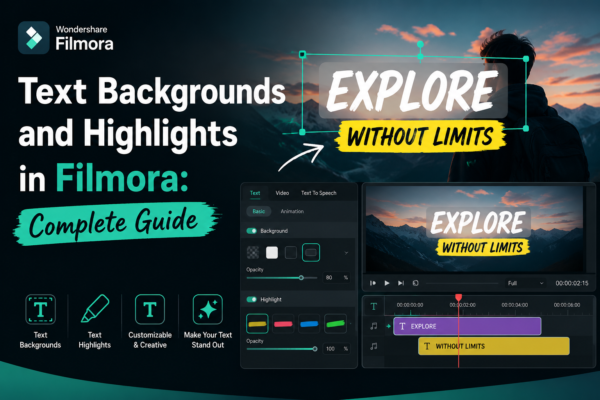
Text Backgrounds and Highlights in Filmora: Complete Guide
In modern video editing, clear and visually appealing text is just as important as the footage itself. Whether you’re creating YouTube videos, social media reels, tutorials, or business presentations, poorly styled text can ruin viewer engagement in seconds. That’s where text backgrounds and highlights in Filmora https://filmora.wondershare.com/ come in. They help your message stand out, […]
Read More
Previewing Videos Before Export in Filmora (Complete Guide)
When editing videos, one of the most overlooked yet critical steps is previewing the final project before export. Many editors rush to render their video only to discover timing issues, audio mismatches, or visual glitches afterward. That’s where previewing videos before export in Filmora becomes essential. Whether you’re a beginner YouTuber, content creator, or professional […]
Read More
Reversing Video Clips in Filmora: Easy Step-by-Step Guide
Reversing a video clip is one of the most creative editing techniques used in modern video storytelling. Whether you want to create dramatic rewind effects, magical transitions, or eye-catching social media content, reverse playback can instantly elevate your video quality. In this guide, you’ll learn exactly how to reverse video clips in Filmora, step-by-step, using […]
Read More
Using Split-Screen Effects in Filmora: Complete Guide
Split-screen effects in Filmora allow you to display two or more video clips on the same screen simultaneously. You can use Filmora’s built-in Split Screen templates to compare scenes, show reactions, or create storytelling visuals. Simply drag a template, insert your clips, and adjust positioning for a professional, cinematic result. Why Split-Screen Editing Matters in […]
Read More
Removing or Resetting Effects in Filmora (Easy Guide 2026)
If you’ve ever edited a video in Filmora and suddenly realized an effect doesn’t look right, you’re not alone. Many beginners and even experienced editors accidentally apply filters, transitions, or visual effects that don’t fit their project. The good news? Filmora makes it easy to fix these mistakes. In this guide, you’ll learn how to […]
Read More










