Why Learning Styles Matter in Video Editing
Students retain more when lessons match their preferred style. For example, visual learners respond to diagrams and spatial cues. In contrast, auditory learners absorb information through clear narration and sound design. Meanwhile, reading/writing learners benefit from text reinforcement. Finally, kinesthetic learners engage most when they can interact or practice immediately. Consequently, editing for all four styles improves comprehension and completion rates. Our services
4 Editing Techniques for Different Learning Styles
1) Editing for Visual Learners
For instance, pair explanations with supporting graphics.
- Animated infographics clarify multi-step processes.
- Color-coded highlights separate key ideas.
- Flowcharts and diagrams map relationships.
Moreover, reinforce visuals with smart edits: zoom on details, picture-in-picture demos, and consistent iconography. As a result, learners connect concepts faster. https://www.fiverr.com/s/dD1D7Az
2) Editing for Auditory Learners
First, capture studio-clean narration and remove room noise. Then, add short pauses after critical statements to let ideas land. Additionally, keep delivery conversational to maintain attention.
However, don’t rely on voice alone. Instead, layer subtle background music, transition stingers, and brief spoken recaps. Therefore, the track guides focus without distraction.
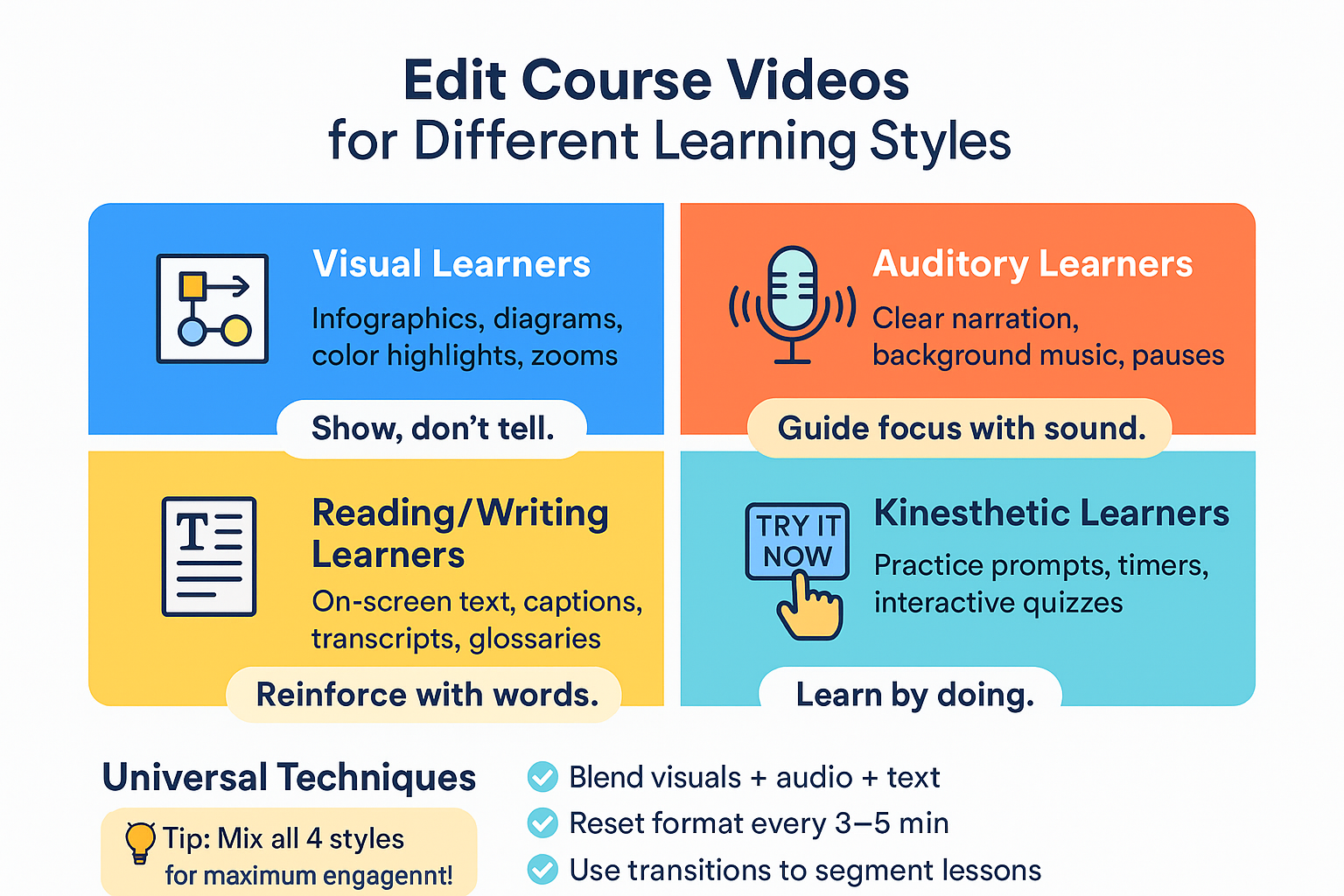
3) Editing for Reading/Writing Learners
To begin with, place key terms on screen as they’re introduced. Next, provide accurate captions and downloadable transcripts. Furthermore, keep typography readable and consistent across lessons.
For example, show definitions in a branded text box, repeat them in captions, and link to a glossary PDF. Thus, learners can review later without scrubbing the timeline.
4) Editing for Kinesthetic Learners
After a demo, add a “Try it now” card with a 10-second timer. Additionally, include drag-and-drop activities or quick branching questions when your platform supports them. Similarly, progress bars and animated pointers cue action.
Consequently, viewers switch from passive watching to immediate practice, which cements skills.
Universal Techniques That Help Every Learner
In addition, blend modalities inside each lesson: diagram + narration + on-screen text + short practice. Moreover, vary format every 3–5 minutes to reset attention. Finally, use transitional cues (whoosh, lower third, chapter bumper) so the brain registers each segment change. https://www.fiverr.com/s/akGkdXG
DIY vs. Professional Learning-Style Optimization
| Factor | DIY Editing | Professional Editing |
|---|---|---|
| Visual Assets | Basic text/graphics | Custom animations & diagrams |
| Audio Quality | Raw cleanup | Studio-grade polish & mixing |
| Interactivity | Simple quizzes | Branching scenarios & timers |
| Effectiveness | Covers 1–2 styles | Engages all 4 styles consistently |
Therefore, professionally optimized courses typically report higher satisfaction and better quiz scores.
Where to Find Learning-Style Experts
Consider this approach: commission a short pilot first. That way, you can verify tone, pacing, and branding before scaling. Afterward, hand off the remaining modules with a clear style guide. About us
Learning-Style Editing Checklist
Before publishing, confirm the following:
✅ Visual diagrams for key concepts
✅ Clear narration with purposeful pauses
✅ On-screen text for terms and summaries
✅ Practice prompts or interactive moments
✅ Format changes every 3–5 minutes
As a result, your course will feel inclusive, polished, and memorable.
Conclusion
Editing to engage every learner isn’t complicated when you apply structured techniques. Moreover, small changes—clearer voice, targeted visuals, concise text, and quick practice—compound into major gains. Consequently, students understand faster and finish more lessons. If time is tight, outsource the final polish while you focus on teaching. Contact us











