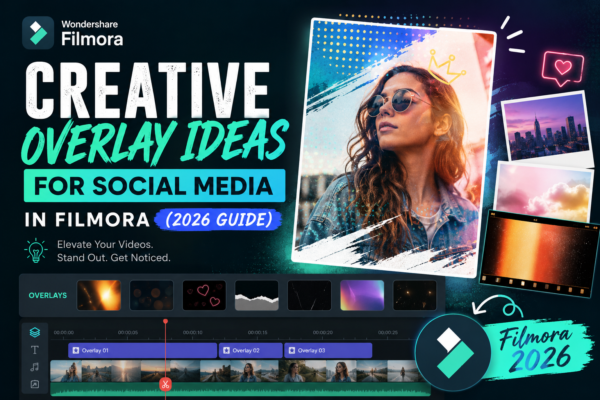
Social media content today is more competitive than ever. Whether you’re creating Instagram Reels, TikTok videos, or YouTube Shorts, grabbing attention in the first 3 seconds is everything. That’s where creative overlay ideas for social media in Filmora become a game-changer.
Instead of plain videos, overlays help you add motion graphics, text effects, transitions, and visual storytelling layers that instantly boost engagement. In this guide, you’ll learn how to use overlays in Filmora creatively, with practical ideas, examples, and expert editing strategies.
Quick Answer
Creative overlay ideas for social media in Filmora include animated text, light leaks, glitch effects, social media UI elements, stickers, and motion graphics. These overlays enhance storytelling, improve visual appeal, and increase engagement on platforms like Instagram, TikTok, and YouTube Shorts when used strategically and not overused.
What Are Overlays in Filmora?
Overlays in Filmora are visual elements placed on top of your main video timeline. They can include:
- Animated text and captions
- Light leaks and cinematic effects
- Stickers and emojis
- Social media UI elements (likes, comments, notifications)
- Motion graphics and shapes
These elements help transform basic footage into professional-looking content, especially for short-form social media platforms.
Why Creative Overlays Matter for Social Media
Using creative overlay ideas for social media in Filmora is not just about aesthetics—it’s about performance.
Key Benefits:
- Higher engagement: Motion and visuals keep viewers watching longer
- Better storytelling: Overlays guide viewer attention
- Brand identity: Consistent styles build recognition
- Algorithm boost: Watch time improves ranking on TikTok & Instagram
Think of overlays as “visual hooks” that keep your audience glued to your content.
Creative Overlay Ideas for Social Media in Filmora
Here are powerful, real-world overlay ideas you can start using today:
1. Animated Text Pop-Ups
Use kinetic typography to highlight key messages.
Example:
- “WAIT FOR IT…” with bounce animation
- “NEW DROP 🔥” with shake effect
👉 Best for: Reels, product promotions, storytelling videos
2. Light Leak Cinematic Overlays
Add dreamy light transitions between clips.
Use case:
- Travel videos
- Lifestyle content
- Emotional storytelling
This makes your video feel cinematic without expensive gear.
3. Social Media UI Overlays
Simulate likes, comments, and shares on screen.
Example:
- Fake Instagram notification pop-ups
- TikTok engagement animations
👉 Boosts relatability and engagement psychology.
4. Glitch and Digital Distortion Effects
Perfect for tech, gaming, or hype content.
Example:
- Quick glitch between scenes
- RGB split transitions
5. Sticker-Based Storytelling
Filmora offers built-in stickers or you can import custom ones.
Ideas:
- Emojis reacting to events
- Arrows pointing to key objects
- Highlight circles for emphasis
6. Speed Ramp + Motion Trail Overlays
Combine speed changes with motion blur overlays.
Best for:
- Action videos
- Dance edits
- Sports highlights
7. Frame Borders & Film Frames
Add vintage or modern frames around your content.
Styles:
- Polaroid frames
- Film reel borders
- Minimal white frames
8. Countdown Timers & Progress Bars
Great for tutorials and engagement hooks.
Example:
- “3…2…1…” countdown before reveal
- Progress bar showing steps
How to Create Overlays in Filmora (Step-by-Step)
If you’re new, here’s how to apply creative overlay ideas for social media in Filmora:
1: Import Your Media
- Open Filmora
- Drag your video to the timeline
2: Access Effects & Overlays
- Go to “Effects” tab
- Search for overlays like “light leak,” “glitch,” or “sticker”
3: Drag and Drop Overlay
- Place overlay above your main clip on timeline
- Adjust duration and position
4: Customize Settings
- Change opacity
- Adjust blending mode
- Modify speed and motion
5: Preview and Export
- Preview the full video
- Export in 1080p or 4K for social media
Best Practices for Using Overlays
To use creative overlay ideas for social media in Filmora effectively, follow these expert tips:
Do:
- Keep overlays subtle and purposeful
- Match overlay style with your niche
- Use consistent branding elements
- Focus on storytelling, not over-editing
Don’t:
- Overload every frame with effects
- Use clashing colors or random animations
- Ignore pacing and timing
💡 Pro Tip: Less is more. One strong overlay often performs better than five distracting ones.
Use Cases for Social Media Platforms
Instagram Reels
- Fast text overlays
- Aesthetic light leaks
- Minimal captions
TikTok Videos
- Meme-style stickers
- Glitch effects
- Trending UI overlays
YouTube Shorts
- Educational captions
- Step-by-step overlays
- Countdown timers
Overlay Types Comparison
| Overlay Type | Best For | Engagement Level |
|---|---|---|
| Animated Text | Storytelling | High |
| Light Leaks | Aesthetic edits | Medium |
| Glitch Effects | Tech/Gaming content | High |
| UI Elements | Viral content | Very High |
| Stickers | Fun content | Medium |
Pro Insights
As a video editor and content strategist, one thing is clear: platforms reward watch time and retention, not just visuals. Overlays in Filmora help guide viewer attention naturally.
Creators who consistently use creative overlay ideas for social media in Filmora see:
- Higher average watch duration
- Better audience retention
- Increased shareability
The key is intentional design—not decoration overload.
FAQs
1. What are overlays in Filmora?
Overlays are visual elements like text, effects, or graphics placed above video clips to enhance storytelling and engagement.
2. How do overlays improve social media videos?
They increase viewer attention, improve storytelling clarity, and boost engagement rates on platforms like TikTok and Instagram.
3. Can beginners use overlays in Filmora easily?
Yes, Filmora offers drag-and-drop overlays, making it beginner-friendly with no advanced editing skills required.
4. What are the best overlays for Instagram Reels?
Animated text, light leaks, stickers, and UI-style notifications perform best for Reels.
5. Do overlays affect video performance on social media?
Yes, well-used overlays can improve watch time and retention, which positively impacts algorithm reach.
Conclusion
Mastering creative overlay ideas for social media in Filmora can completely transform your content strategy. Instead of simple edits, you create engaging, scroll-stopping videos that connect with your audience instantly.
Whether you’re a beginner or advanced editor, the key is to experiment, stay consistent, and focus on storytelling. Start small, test different overlay styles, and refine what works best for your niche.











