How to Cut & Trim Clips in CapCut (2026 Guide)
Cutting and trimming clips are core editing skills in CapCut that let you remove unwanted sections, tighten pacing, and create engaging videos. Trimming shortens a clip from the start or end, while cutting (or splitting) divides a clip into separate segments for deletion, rearrangement, or effects. In 2026, CapCut’s tools remain intuitive across mobile and […]
Read MoreHow to Zoom In and Out on the Timeline in CapCut (2026 Guide)
Zooming the timeline in CapCut is essential for efficient video editing. Zooming in gives you pixel-perfect control for trimming clips, syncing audio, adding keyframes, or making precise cuts. In CapCut’s 2026 updates, timeline zoom works seamlessly across mobile (iOS/Android), desktop (Windows/Mac), and web versions—with intuitive gestures, buttons, and shortcuts. Why Timeline Zoom Improves Your Editing […]
Read MoreHow to Add Clips to the Timeline in CapCut (2026 Beginner Guide)
Adding clips to the timeline is the foundation of video editing in CapCut. The timeline is where all your footage, photos, audio, and effects come together to build your final video. Mastering this step lets you quickly assemble sequences, rearrange content, and start creative edits like trimming, transitions, and effects. Whether you’re creating YouTube videos, […]
Read MoreHow to Add Lower Thirds in CapCut (Complete Guide)
Lower thirds are essential text overlays that appear at the bottom of the screen to identify speakers, display titles, or highlight key information. They instantly elevate video quality, making content appear more professional, credible, and easier to follow—especially in interviews, tutorials, vlogs, corporate videos, and YouTube content. in this post we will learn How to […]
Read MoreHow to Change Video Aspect Ratio: 9:16, 16:9, and 1:1 Explained
Video content comes in many shapes and sizes. Whether you’re creating YouTube videos, Instagram Reels, or TikTok clips, choosing the right video aspect ratio is crucial for optimal viewing and engagement. In this guide, we’ll break down how to change video aspect ratios, the best use cases for each format, and simple tips to make […]
Read MoreHow to Adjust Video Speed in CapCut (Slow Motion & Fast Motion Guide)
Controlling video speed can completely transform your content. Whether you want cinematic slow motion or high-energy fast motion, CapCut makes it simple to adjust playback speed directly from your mobile device. In this guide, you’ll learn how to adjust video speed in CapCut step by step, using the built-in Speed tool. This method works perfectly […]
Read MoreHow to Freeze a Frame in CapCut: Step-by-Step Guide for Stunning Videos
Freezing a moment in your video can add drama, emphasize key actions, or highlight important details. If you’re wondering how to freeze a frame in CapCut, this step-by-step guide will show you exactly how to do it on your mobile device. Whether you’re creating social media clips, YouTube videos, or professional content, mastering this technique […]
Read More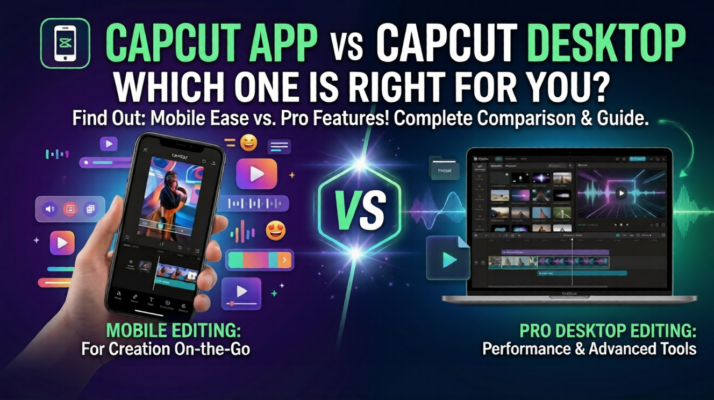
CapCut App vs CapCut Desktop: Which One is Right for You?
Choosing the right video editing tool can make a huge difference in productivity, creativity, and final video quality. If you’re deciding between the CapCut mobile app and CapCut Desktop, understanding the strengths of each platform will help you make the best choice for your projects. In this article, we’ll compare CapCut App vs CapCut Desktop […]
Read MoreThe Best Screen Recording Editing Tips for Online Courses
Why Screen Recording Editing Matters Screen recordings are essential for software tutorials, walkthroughs, and explainer lessons. However, raw recordings often include errors, pauses, or clutter that distract learners. With proper editing, you can remove mistakes, improve pacing, and add clarity. As a result, students stay engaged and grasp concepts faster. Our services Essential Screen Recording […]
Read MoreWhy Udemy Instructors Need Professional Video Editors
The Importance of Video Quality on Udemy On Udemy, thousands of instructors compete for attention. While content matters, presentation often determines success. High-quality videos build credibility, attract more students, and lead to better reviews. Conversely, poor editing—like choppy cuts, distracting background noise, or long pauses—causes learners to lose interest. Therefore, professional video editing isn’t a […]
Read More










