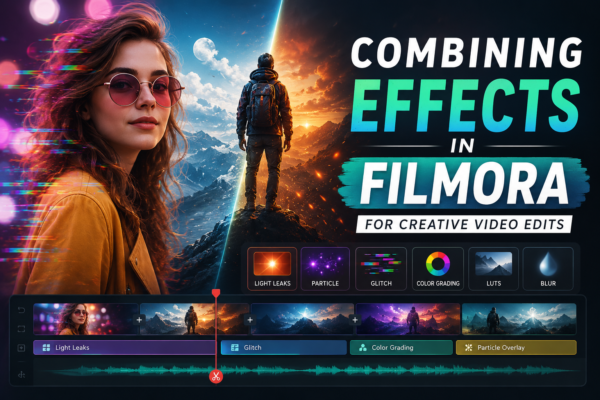
Video editing is no longer just about cutting clips—it’s about storytelling. And if you’re using Wondershare Filmora, combining effects is where your creativity truly comes alive.
Whether you’re making YouTube videos, reels, or cinematic projects, layering multiple effects can transform simple footage into something visually striking and memorable.
But here’s the catch: combining effects in Filmora isn’t about adding everything—it’s about adding the right things in the right way. Let’s break it down.
⚡ Quick Answer
Combining effects in Filmora involves layering visual elements like filters, transitions, overlays, and animations to enhance video storytelling. To do it effectively, apply effects strategically, adjust blending modes, fine-tune opacity, and maintain consistency. Focus on enhancing mood and clarity rather than overwhelming the viewer with too many effects.
🎥 What Does “Combining Effects” Mean in Filmora?
In simple terms, combining effects means applying multiple visual or audio enhancements to a single clip or sequence.
These can include:
- Filters and LUTs
- Transitions
- Overlays (light leaks, particles, etc.)
- Motion effects
- Text animations
- Audio effects
Instead of using just one effect, you stack or blend several to create a unique visual style.
🧠 Why Combining Effects Matters (Expert Insight)
From an editor’s perspective, combining effects is what separates basic edits from professional storytelling.
Think of it like cooking:
- One spice = okay
- Multiple spices (balanced) = amazing
When used correctly, effects can:
- Enhance emotions
- Improve visual quality
- Create cinematic depth
- Maintain viewer engagement
But overusing them? That leads to distraction and poor quality.
🛠️ How to Combine Effects in Filmora (Step-by-Step)
1. Import and Prepare Your Footage
Start by importing your clips into Filmora’s timeline.
👉 Tip: Always trim and organize your clips before applying effects.
2. Apply Base Effects First (Color & Lighting)
Start with foundational edits:
- Color correction
- Brightness/contrast
- White balance
This ensures all additional effects look consistent.
3. Add Filters and LUTs
Filmora provides built-in filters and LUTs.
✔ Best practice:
- Use one primary LUT
- Adjust intensity (avoid 100% strength)
4. Layer Overlays for Depth
Overlays add visual richness:
- Light leaks
- Film grain
- Bokeh effects
👉 Drag overlays onto a track above your main footage.
5. Use Blending Modes
This is where creativity kicks in.
Experiment with:
- Screen
- Multiply
- Overlay
Blending modes help effects merge naturally instead of looking artificial.
6. Add Motion Effects and Keyframes
Motion brings life to static clips.
Use:
- Zoom in/out
- Pan effects
- Keyframe animations
7. Enhance with Transitions (But Don’t Overdo It)
Transitions connect clips smoothly.
✔ Use:
- Fade
- Dissolve
- Zoom transitions
❌ Avoid using too many flashy transitions—it breaks flow.
8. Fine-Tune Opacity and Timing
This is the secret weapon of professionals.
- Reduce opacity for subtlety
- Sync effects with beats (for music videos)
- Adjust duration for smoother visuals
🎯 Real-World Use Cases
📱 Social Media Content
Combine:
- Bright filters + motion text + glitch effects
Result: High-energy, scroll-stopping content.
🎬 Cinematic Videos
Combine:
- LUTs + film grain + slow zoom
Result: Movie-like visuals.
🎥 YouTube Tutorials
Combine:
- Clean transitions + text overlays + subtle zoom
Result: Professional and engaging content.
⚖️ Combining Effects vs Using Single Effects
| Feature | Single Effect | Combined Effects |
|---|---|---|
| Creativity | Limited | High |
| Visual Appeal | Basic | Advanced |
| Engagement | Moderate | Strong |
| Complexity | Easy | Moderate |
👉 Verdict: Combining effects offers better results—but requires balance and skill.
✅ Best Practices for Combining Effects
✔ Keep It Purposeful
Every effect should serve a purpose—don’t add effects just for style.
✔ Maintain Consistency
Use similar tones and styles throughout your video.
✔ Avoid Overcrowding
Too many effects = confusing visuals.
✔ Use Adjustment Layers
Apply effects across multiple clips without repeating work.
✔ Preview Frequently
Check how effects look in real-time playback.
🚫 Common Mistakes to Avoid
- ❌ Overusing transitions
- ❌ Mixing too many color tones
- ❌ Ignoring audio quality
- ❌ Using effects without storytelling purpose
❓ Frequently Asked Questions (FAQ)
1. What is the best way to combine effects in Filmora?
Use a layered approach:
- Start with color correction
- Add filters
- Apply overlays
- Fine-tune opacity and blending
2. Can I use multiple filters on one clip?
Yes, but keep it minimal. Use one main filter and adjust intensity instead of stacking too many.
3. How do blending modes improve effects?
Blending modes help effects merge naturally with footage, creating a more realistic and cinematic look.
4. Are combined effects good for beginners?
Yes—but start simple. Learn basic combinations before experimenting with advanced layering.
5. How do I avoid over-editing?
Follow the rule:
👉 If an effect doesn’t improve storytelling, remove it.
🏁 Conclusion (With CTA)
Combining effects in Filmora isn’t just a technical skill—it’s an art. When done right, it can elevate your videos from average to professional-level storytelling.
Start small. Experiment. Adjust. And most importantly—edit with intention.
🎯 Your next step: Open Filmora, pick a simple clip, and try combining just 2–3 effects. You’ll instantly see the difference.











