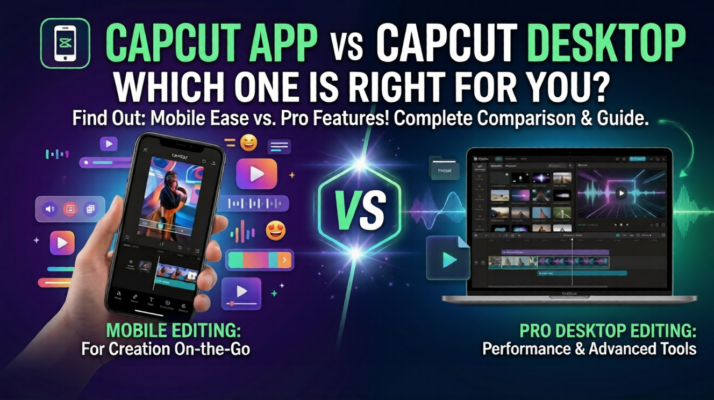
Choosing the right video editing tool can make a huge difference in productivity, creativity, and final video quality. If you’re deciding between the CapCut mobile app and CapCut Desktop, understanding the strengths of each platform will help you make the best choice for your projects. In this article, we’ll compare CapCut App vs CapCut Desktop so you can decide which is right for you. Furthermore, knowing the ins and outs of CapCut App vs CapCut Desktop will make your decision even clearer.
In this guide, we’ll break down the key differences, benefits, and ideal use cases so you can pick the version that fits your workflow—whether you’re creating social media clips, YouTube content, or professional videos. In particular, understanding CapCut App vs CapCut Desktop benefits helps you match your editing needs.
If you’re just getting started, check out our step-by-step guide on how to make a CapCut account to quickly set up your editing workspace and start creating videos.
https://youtubevideoeditingservices.com/create-capcut-account/
CapCut mobile app vs CapCut Desktop: Overview
The CapCut App is designed for speed and simplicity. It’s perfect for creators who need to edit directly on their phones without a steep learning curve.
Key Features of CapCut Mobile app:
- User-Friendly Interface – Easy to navigate, even for beginners.
- Quick Editing Tools – Trim, cut, merge, and rearrange clips in seconds.
- Effects and Filters – Add trendy effects, text overlays, stickers, and transitions.
- Social Media Ready – Ideal for TikTok, Instagram Reels, or YouTube Shorts.
- Instant Publishing – Export and share directly from your phone.
Why Use CapCut App?
- Great for short-form content and fast edits.
- Perfect for creators who want to produce content while traveling or away from a desktop setup.
- Minimal technical skills required.
CapCut Desktop: Precision and Professional Editing
For larger projects or advanced video work, CapCut Desktop offers a more powerful editing experience. With a bigger workspace and enhanced tools, it’s suited for professional-level content. Notably, when comparing CapCut App vs CapCut Desktop, the latter delivers more advanced features for creators seeking precision.
Key Features of CapCut Desktop:
- Expanded Timeline Editing – Work with multiple tracks and longer clips efficiently.
- Enhanced Precision – Fine-tune cuts, transitions, and effects with more control.
- Faster Performance – Handles high-resolution videos and complex projects smoothly.
- Professional Effects – Access advanced filters, keyframes, and motion graphics.
- Optimized for YouTube and Corporate Videos – Perfect for polished, long-form content.
Why Use CapCut Desktop?
- Ideal for creators looking to elevate their video quality.
- Suitable for YouTube channels, promotional videos, or business presentations.
- Better suited for detailed edits and complex projects. https://yout.be/-LJp37hK9M0
Key Differences Between CapCut App and CapCut Desktop
The decision ultimately depends on your goals, project type, and workflow. With that in mind, CapCut App vs CapCut Desktop comparison ensures you select the right editor for your needs.
| Feature/Use Case | CapCut App | CapCut Desktop |
|---|---|---|
| Speed & Convenience | ✅ Excellent | ⚪ Limited |
| Beginner-Friendly | ✅ Very easy | ⚪ Requires learning |
| Professional Editing | ⚪ Limited | ✅ Advanced control |
| Social Media Clips | ✅ Perfect | ⚪ Good but overkill |
| Long-Form YouTube/Corporate | ⚪ Not ideal | ✅ Ideal |
Bottom Line:
- Use CapCut App for quick, mobile edits, short-form social media content, or beginner-friendly projects.
- Use CapCut Desktop when you need precision, larger workspaces, and professional-grade videos.
Pro Tip: Combine Both Platforms
Many creators use both. Start rough edits on the mobile app for speed, then refine on the desktop for advanced effects and better quality. This workflow maximizes efficiency without sacrificing control. To sum up, learning how to combine CapCut App vs CapCut Desktop workflows can optimise your projects.
Conclusion
Whether you choose the CapCut App or CapCut Desktop, both tools are powerful for modern video creation. Your choice depends on your editing needs, project complexity, and preferred workflow.
For creators seeking professional YouTube video editing services, high-quality promos, or polished corporate videos, partnering with experts can save time and elevate your content.
Call to Action:
Transform your video ideas into impactful content today—share this guide, comment with your favorite editing tips, or explore professional editing services to take your videos to the next level.
Key Takeaways
- Choose between CapCut App vs CapCut Desktop based on your project requirements and editing style.
- CapCut App excels in mobile editing with user-friendly features for quick social media content.
- CapCut Desktop offers advanced tools for precision editing, ideal for professional videos.
- Combine both platforms for efficient workflows: start on the app and refine on the desktop for quality.
- Your editing choice ultimately depends on the complexity of your projects and desired outcomes.
Primary Keywords: CapCut App, CapCut Desktop, video editing tools, professional video editing
Secondary Keywords: social media videos, YouTube editing, mobile video editing, video editing workflow











